![PlanetBids_Logo-Default.png]](https://training.planetbids.com/hs-fs/hubfs/PlanetBids_Logo-Default.png?height=40&name=PlanetBids_Logo-Default.png)
Note: This feature is not yet available to all clients. If you don't see this functionality, stay tuned!
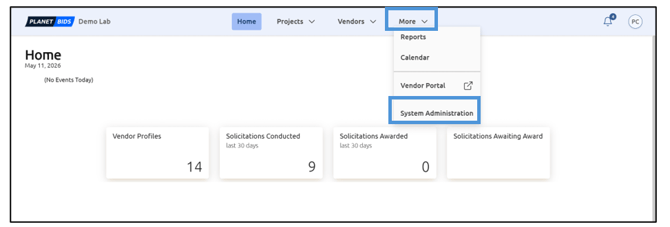
To configure Business Documents options, click More and then select System Administration from the menu options:
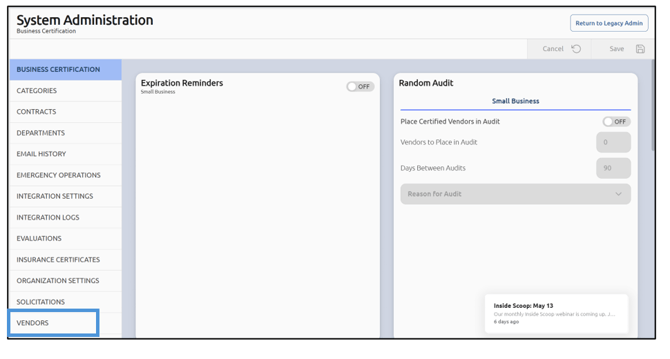
Then select Vendors from the options on the left of the screen:
Scroll down to Business Documents to configure:
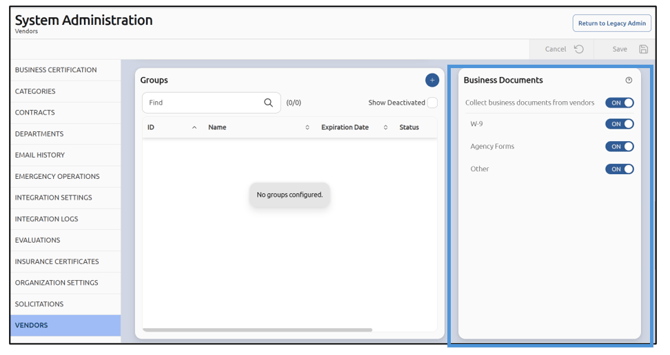
Note: Tile placement within sections may differ based on screen size and resolution
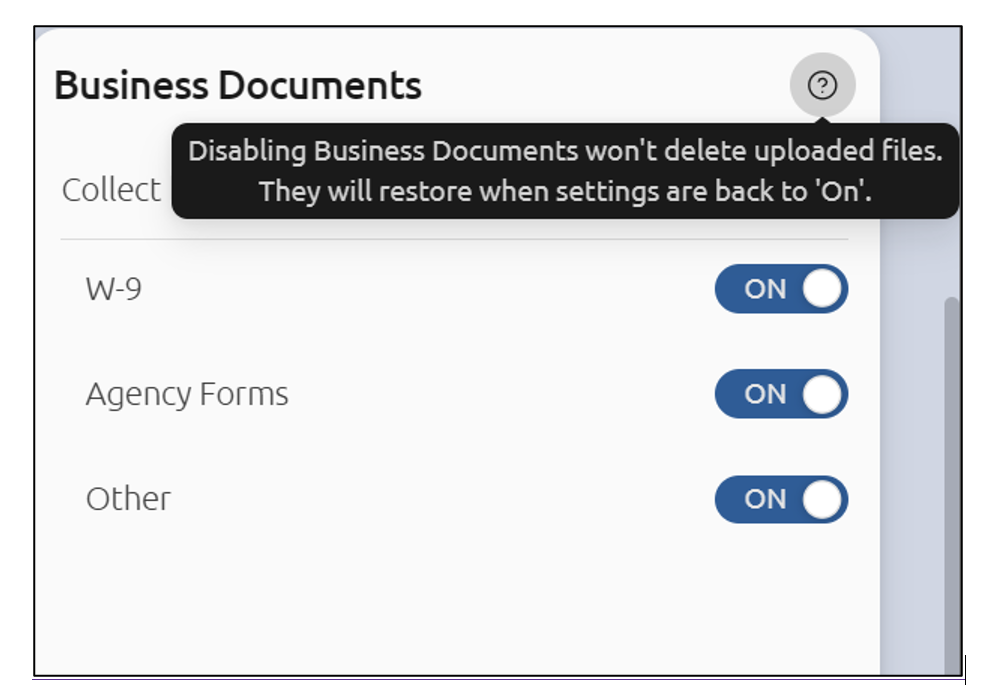
To turn off the collection of Business Documents from vendors, toggle the selection to OFF:
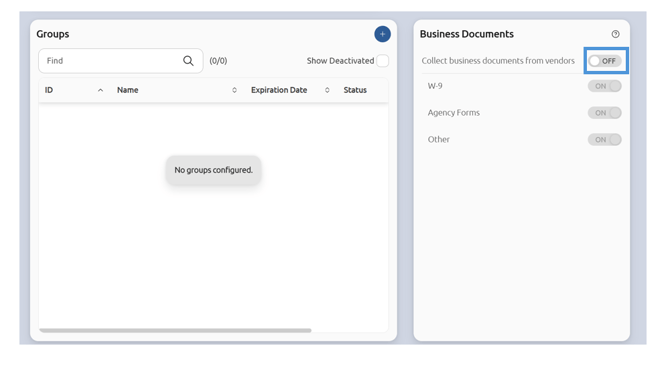
If you wish to collect Business Documents from vendors, leave the selection to ON. You can toggle which
document categories you wish to have ON or OFF:
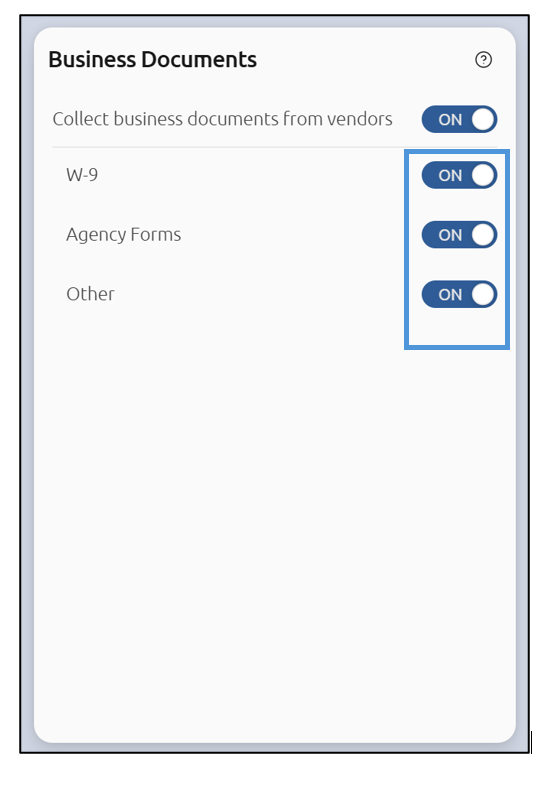
To customize business documents, scroll down to the customization tile:
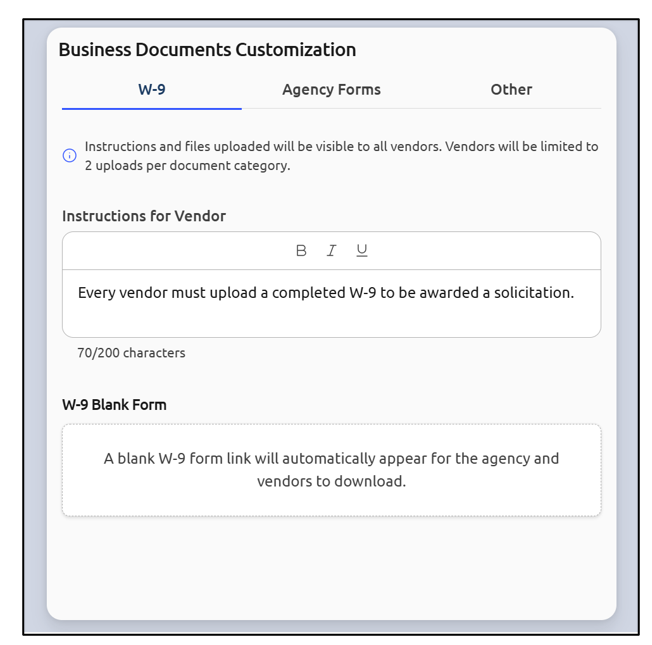
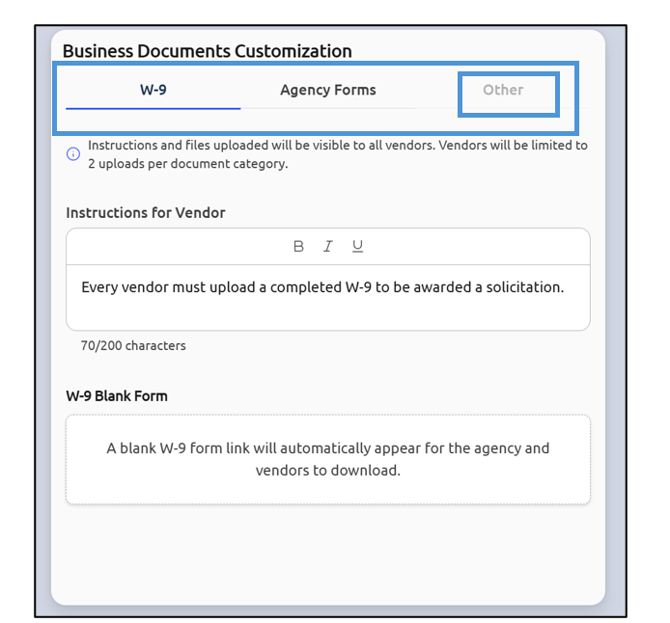
Once clicked, the tabs across the top for each category let you customize the form templates (if applicable). These are forms that vendors can download and then reupload with their information in your portal. If you have toggled off a category, it will still appear but will be greyed out:
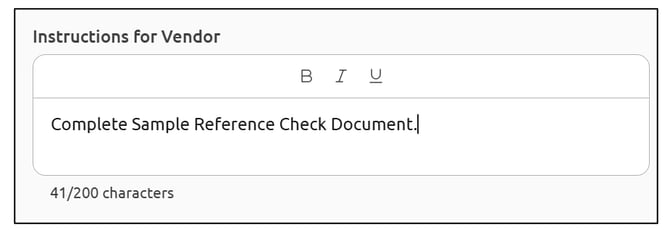
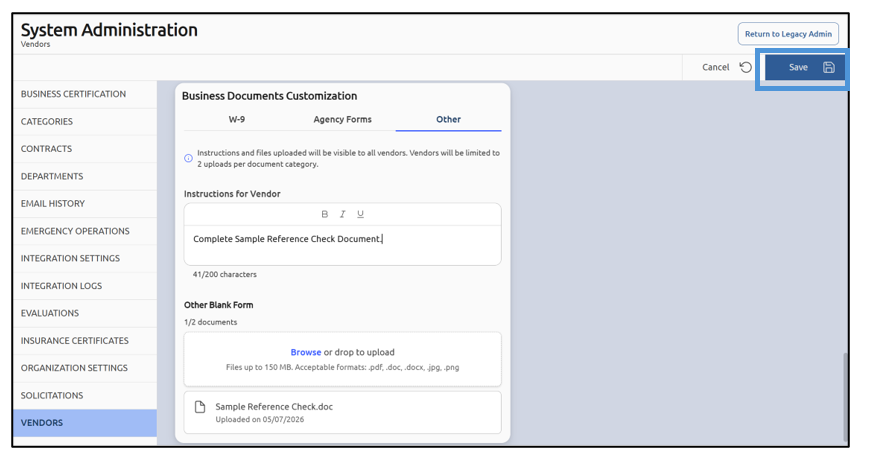
Fill out the instructions you wish the vendors to see:
If you already have a blank form the vendor should fill out, you can browse your computer for the form template, or drop it into the box:
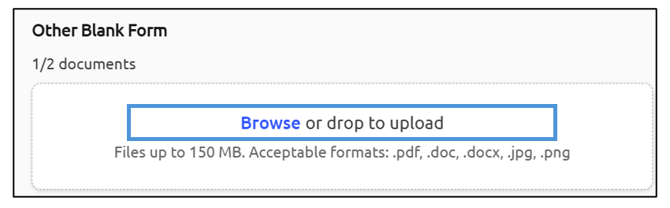
NOTE: Ensure the file name is readable, as this will be shown to the vendor before they download it.
Note the file size limitations and accepted document types.
Once you have loaded the form, you can see information about the form, as well as view the form template and delete it:
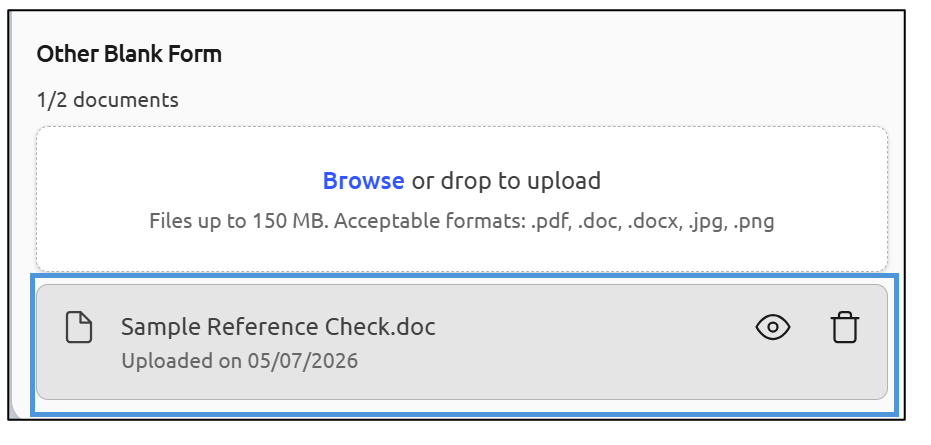
You can upload a maximum of 2 forms per business document category.
When you have finished your work, click Save:
Note: If a Business Documents category is turned off at any time in the future, the submitted documents will still remain available behind the scenes. If the category is turned on again in the future, they will appear normally. No data is lost.
Note: Agencies occasionally ask whether they can use Business Documents for payment forms "just this once" or for low-dollar vendors. We advise against it. The risk is not primarily to PlanetBids; it's to your agency. While the PlanetBids platform is safe and secure, a vendor's banking information submitted through a procurement document is outside the control environment your finance team expects, and a data incident involving that information would create liability for your organization.