![PlanetBids_Logo-Default.png]](https://training.planetbids.com/hs-fs/hubfs/PlanetBids_Logo-Default.png?height=40&name=PlanetBids_Logo-Default.png)
There are three ways to add Users to the Requests module.
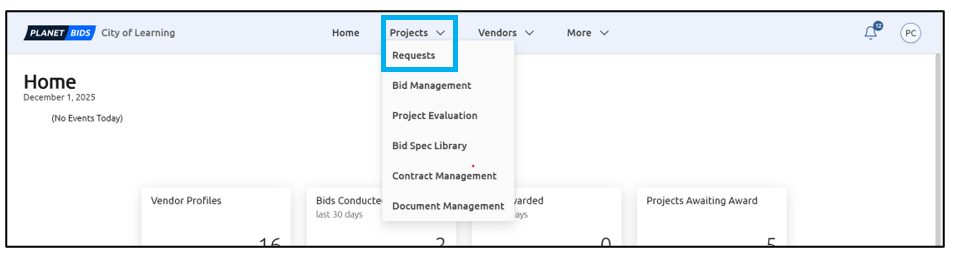
From the Home screen, click the Projects drop-down and select Requests:
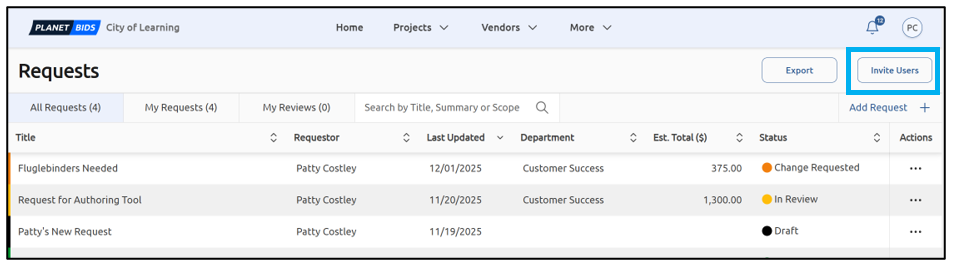
Click Invite Users:
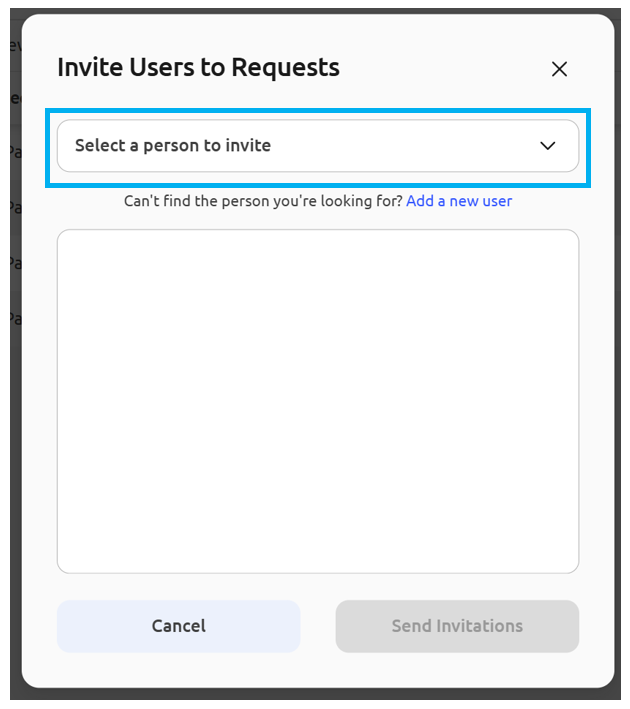
Use the drop-down to select the User(s) you wish to invite to Requests:
Once you have selected the User(s) you wish to invite, click Send Invitations:
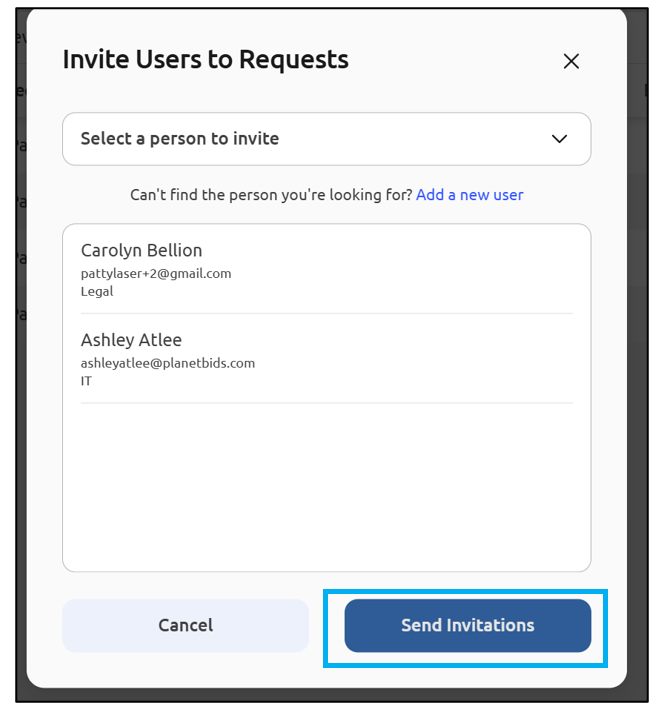
The User will receive an email invitation at that time.
Note: the list will populate with current users on your PlanetBids side, who may or may not already be Requests users. This invite grants basic permissions to create Requests and edit their Requests. To learn more about assigning additional Requests permissions, please view Admin Settings for Requests.
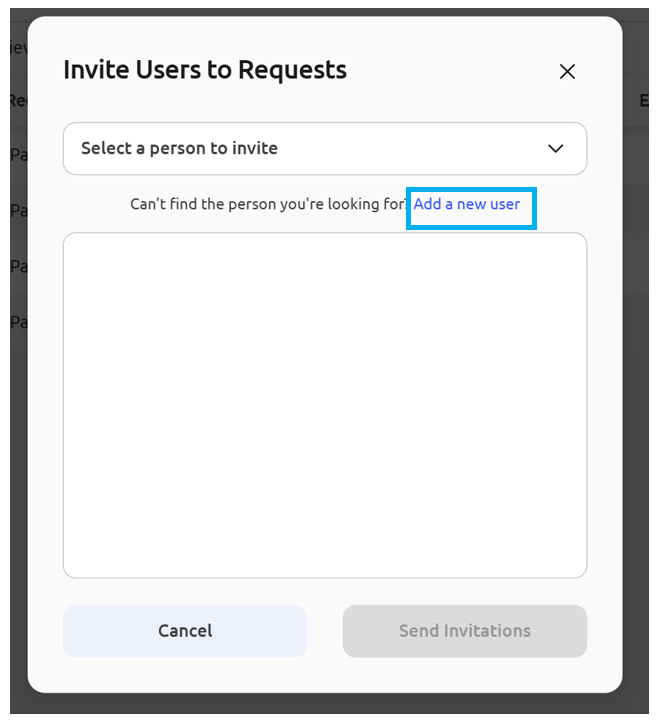
If the User does not appear in the drop-down menu, you can choose the option to add a user. Click Add a new user:
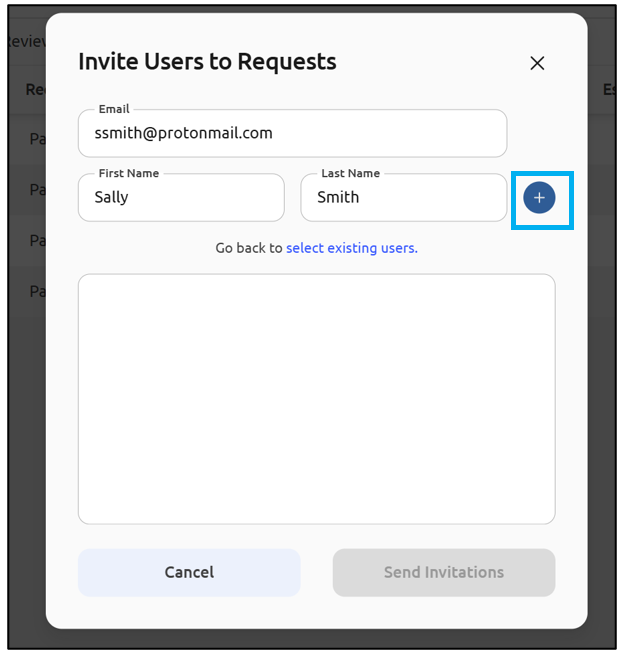
Type in the Email, First Name, and Last Name, and click the plus sign to add them:
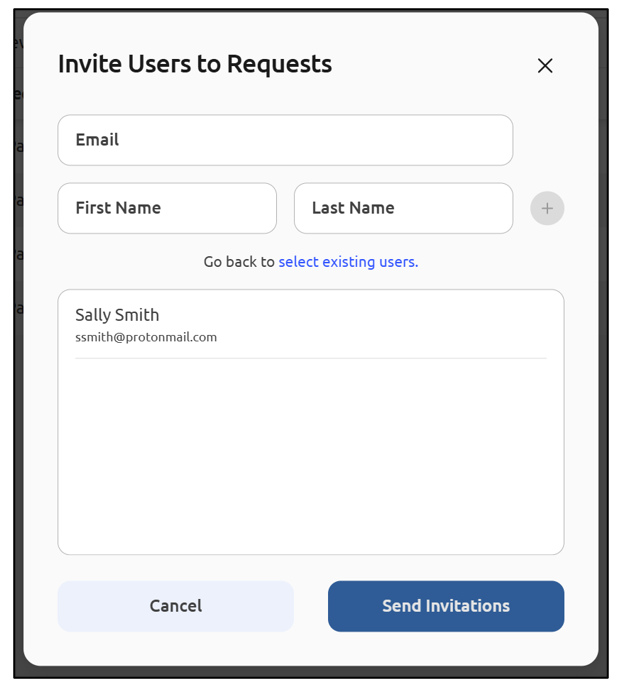
Once you’ve added the User(s), click Send Invitations. They will receive an email invite to join and finish setting up their account:
Note: This invite grants a user basic permissions to create Requests and edit their own Requests. To learn more about assigning additional Requests permissions, please view Admin Settings for Requests.
You can also Add New Users to the system and update their Requests permissions through the Administration Menu.