![PlanetBids_Logo-Default.png]](https://training.planetbids.com/hs-fs/hubfs/PlanetBids_Logo-Default.png?height=40&name=PlanetBids_Logo-Default.png)
Sometimes you may want to lock document content to prevent others from editing certain areas. This is most commonly done with templates, but can be done for a variety of reasons.
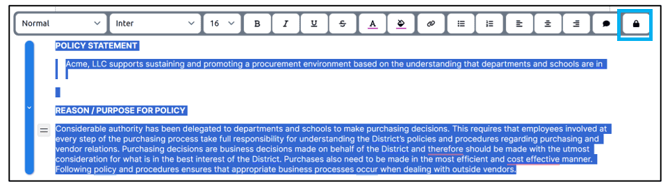
To lock areas of your document, highlight the area you wish to lock, and click the lock icon:
This results in a lock icon being displayed to the left of the area with the locked content:
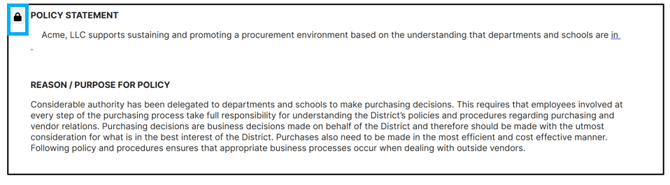
Note: users can still comment on locked areas, but they can’t edit them unless they have lock/unlock permissions. See Admin Settings for Locked Document Content for more information on permissions.
To unlock a locked content area, click the lock icon to the left of the content and click Unlock:
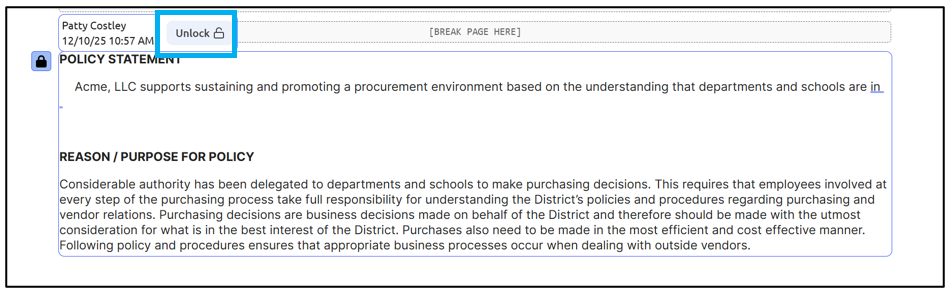
The locked area can now be edited.